


WithSecure™ Elements Extended Detection and Response (XDR)
Endpoint, identity, email, collaboration, and cloud security

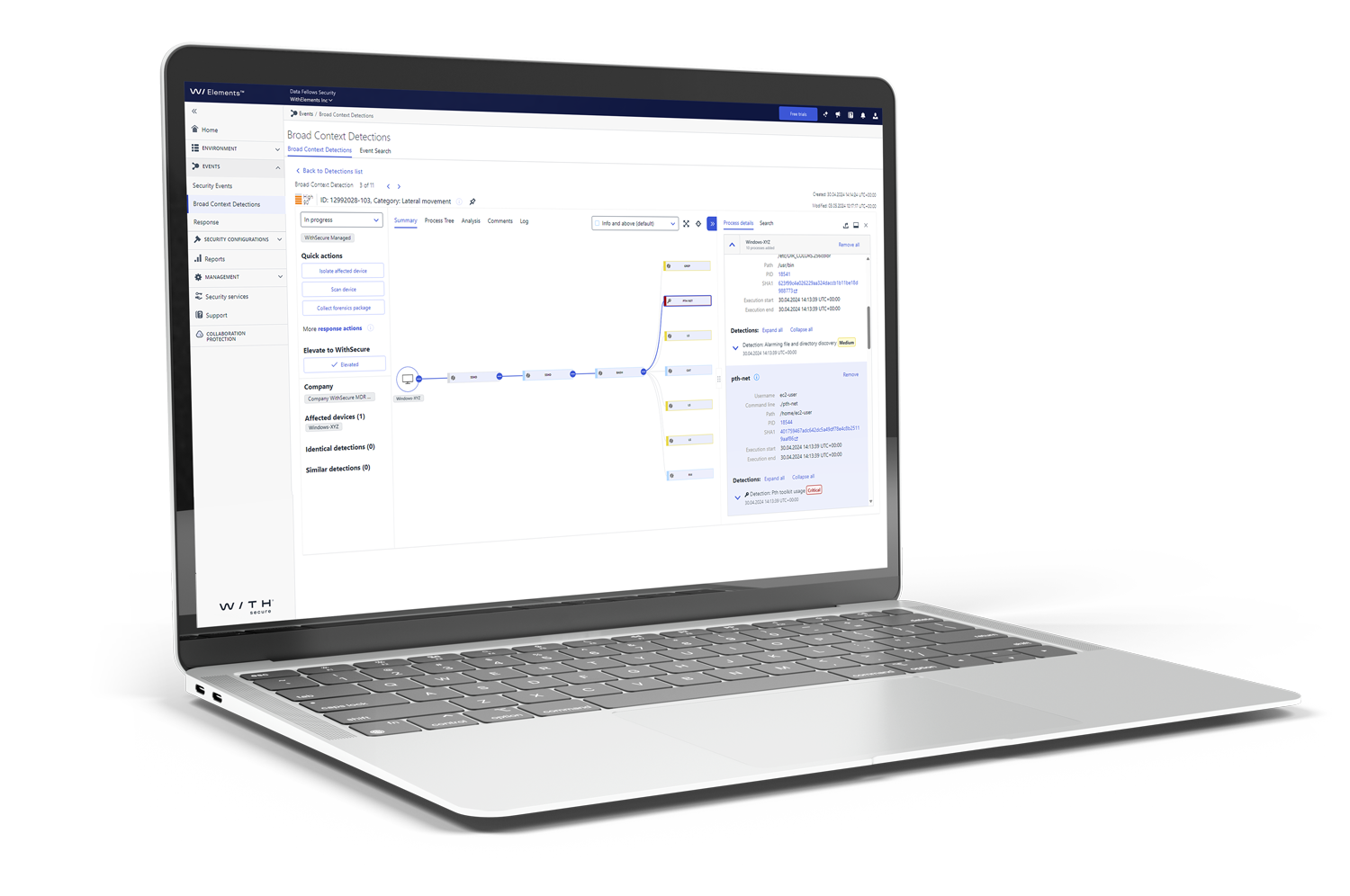
Unified protection, detection, and response
No enterprise EDR for endpoints. No sandboxing for email attachments. No identity threat detection beyond basic sign-in anomalies. These are the gaps that turn a phishing email into a breach — the attacker lands in your inbox, escalates through Entra ID, and moves through your cloud infrastructure before most tools notice anything unusual. WithSecure™ Elements XDR closes each of these gaps in one platform, detecting attempted and ongoing attacks — and helping you stop attackers in their tracks.
 One platform. One agent. End‑to‑end coverage.
 Broad Context Detection™ turns a multi-vector attack into one clear incident to investigate
 Seven AV-TEST Best Protection wins — confirmed by MITRE ATT&CK top-tier results
 Rollback automatically reverses file and registry changes made by ransomware
 WithSecure is built under European data protection law
 Automated response options, reduced workload
WithSecure™ Elements XDR protects the modern workspace
Elements XDR is a unified solution built to protect modern IT estates — combining prevention, detection, and response across endpoints, identities, email, and cloud from a single platform. Explore what it covers and how it works together
Why does unified coverage matter?
Most attacks don’t stay in one place — they start with a phishing email, move through a compromised identity, and land on your endpoints. Elements XDR correlates signals across all of these layers into Broad Context Detections™ that show the full attack chain in one view, with guided response actions to stop it. One platform, one agent, one console — no stitching together separate tools
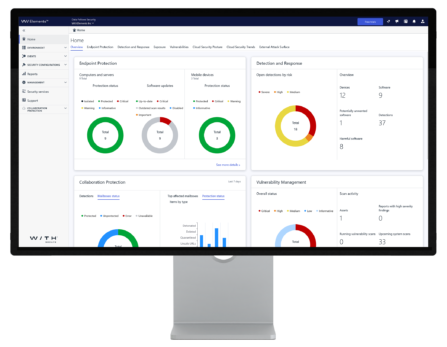
How does XDR keep incident volumes low?
Elements XDR uses automated advanced preventative controls to block ransomware, malicious files, and URLs before they execute — keeping the volume of incidents your team needs to handle to a minimum. Scheduled response actions contain threats outside business hours automatically. The result is a security posture that stays active around the clock without requiring round-the-clock staffing.
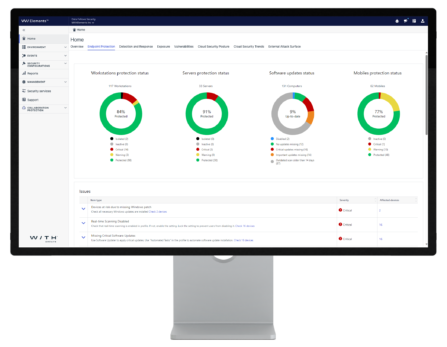
How does XDR help your team act faster?
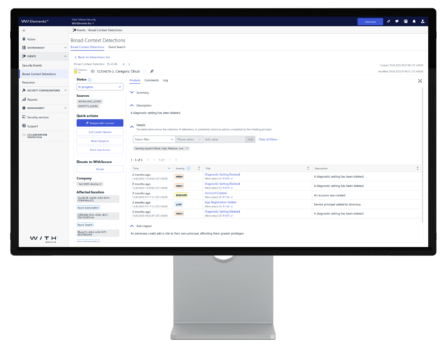
Broad Context Detections™ aggregate all the data from a potential incident — affected hosts, attack timeline, MITRE ATT&CK mapping, and recommended next actions — into a single investigation view. Luminen™ AI assistant explains detections in plain language and recommends response actions, so your team can move from alert to action in minutes rather than hours, regardless of their security experience level.
How does Elements XDR connect to Elements XM?
Elements XDR shares the same platform, agent, and Luminen™ AI layer as Elements XM (Exposure Management). XM’s exposure scores feed directly into XDR’s Outbreak Control — automatically tightening endpoint security profiles when new risks emerge — while XDR’s detection telemetry informs XM’s attack path simulation. Proactive prevention and reactive detection, working together without an integration project.
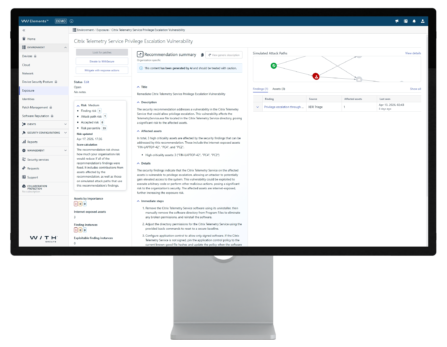
Four security modules.
One platform.
WithSecure™ Elements XDR includes Endpoint Security, Identity Security, Collaboration Protection, and Cloud Security. Elements XDR keeps you protected and helps you detect and respond to cyberattacks rapidly and effectively. It covers endpoints, cloud resources, digital identities, email, and Microsoft 365 collaboration tools
Elements Endpoint Security combines award-winning Endpoint Protection (EPP) and Endpoint Detection & Response (EDR) in one agent — no separate deployment, no separate console. Its award-winning capabilities cover protection, detection, and response against modern malware, ransomware, phishing, and data breaches.
Award-winning protection that stops threats before they execute.
Multi-layered endpoint protection for Windows, macOS, and Linux servers and workstations. Combines automated threat prevention with security hardening tools like patch management, application control, and browsing protection. Available capabilities vary by operating system.
- AV-TEST Best Protection — seven wins
- DeepGuard stops unknown threats before they run
- DataGuard blocks ransomware from encrypting files
- XFENCE application control for Mac environments
- OS & 2,500+ third-party patches via Software Updater
- Rollback restores files after ransomware — without backups
Complete mobile security for Android, iOS, and ChromeOS, managed from one console.
Network Gateway checks every website before it loads using WithSecure’s Security Cloud URL reputation service — blocking malicious and phishing content before it reaches the device. Combined with SMS phishing protection, application scanning, and browsing protection, it covers the full range of mobile attack vectors with minimal device performance or battery life impact.
- Blocks Android malware before it executes
- Stops phishing links before users click them
- Intercepts malicious traffic at network level via Network Gateway
- SMS Protection analyzes messages locally and blocks SMS phishing attacks
- Compatible with your existing MDM deployment — Miradore, Microsoft Intune, and many more
Powerful tool for endpoint detection and response.
Detects advanced threats that bypass endpoint protection and enables fast investigation and response — with AI-guided or automated actions, full attack timeline visibility, and robust investigation tools for Windows, macOS, and Linux servers and workstations.
- Broad Context Detection™ — consolidated incident insights
- Investigate deeply or take quick automated response actions
- Contains threats in one click — isolate, quarantine, kill
- See full attack chain from first touch to objective
- Plain-language response guidance by Luminen AI assistant for every detection
- Option to use additional WithSecure™ Elevate service for expert validation of detections
Elements Endpoint Security combines award-winning Endpoint Protection (EPP) and Endpoint Detection & Response (EDR) in one agent — no separate deployment, no separate console. Its award-winning capabilities cover protection, detection, and response against modern malware, ransomware, phishing, and data breaches.
Elements Collaboration Protection (CP) adds a dedicated security layer on top of Microsoft 365 — catching malicious email attachments, blocking harmful URLs, and detecting compromised accounts. It quickly deploys cloud-to-cloud, with nothing installed on endpoints. The solution covers your M365, including email (Exchange Online), SharePoint sites, OneDrive, and Microsoft Teams.
Independently recognized






Elements XDR reviews
Latest XDR resources from our experts
Practical guidance on common gaps in reactive security capabilities, and other recent XDR insights.

Blog
Why midmarket MSPs need proactive cybersecurity … now
Cyber attacks don’t wait for you to notice. They slip in quietly, target what matters, and hit midmarket businesses hard. Why? Because you’re digital, valuable, and let’s be honest not protected enough.
Blog
Why midmarket MSPs need proactive cybersecurity … now
Cyber attacks don’t wait for you to notice. They slip in quietly, target what matters, and hit midmarket businesses hard. Why? Because you’re digital, valuable, and let’s be honest not protected enough.

Blog
The MSP’s guide to buying proactive cybersecurity – European style

Blog
Building proactive cybersecurity – a 7-step MSP guide
Explore the solution via brochures
Find out more information about Elements XDR capabilities from our brochures
A concise summary of WithSecure™ Elements Endpoint Security — covering key capabilities and benefits, designed for quick sharing with stakeholders and decision-makers.
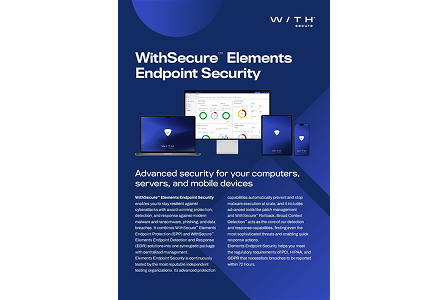
A detailed commercial & technical overview of WithSecure™ Elements Endpoint Protection — covering how it works, what it scans, and the technology behind it, for buyers evaluating the solution in depth.
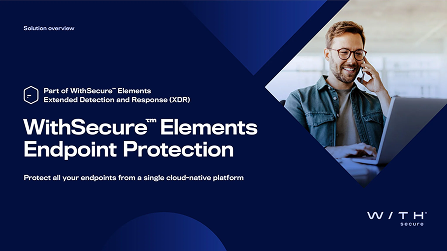
A detailed commercial & technical overview of WithSecure™ Elements Endpoint Detection & Response — covering how it works, what it scans, and the technology behind it, for buyers evaluating the solution in depth.
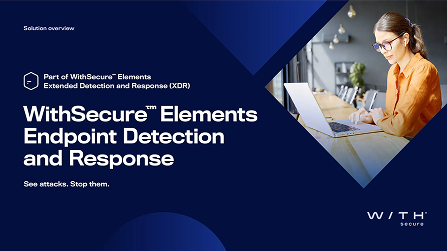
A concise summary of WithSecure™ Elements Identity Security — covering key capabilities and benefits, designed for quick sharing with stakeholders and decision-makers.

A detailed commercial & technical overview of WithSecure™ Elements Identity Security — covering how it works, what it scans, and the technology behind it, for buyers evaluating the solution in depth.
A concise summary of WithSecure™ Elements Collaboration Protection — covering key capabilities and benefits, designed for quick sharing with stakeholders and decision-makers.
A detailed commercial & technical overview of WithSecure™ Elements Collaboration Protection — covering how it works, what it scans, and the technology behind it, for buyers evaluating the solution in depth.
A concise summary of WithSecure™ Elements XDR Cloud Security — covering key capabilities and benefits, designed for quick sharing with stakeholders and decision-makers.

A detailed commercial & technical overview of WithSecure™ Elements XDR Cloud Security — covering how it works, what it scans, and the technology behind it, for buyers evaluating the solution in depth.
Try Elements XDR free for 30 days.
Start a no-commitment trial and see Elements XDR protecting your environment from day one — with no credit card required and no implementation project. Most organisations have their first detections within hours of onboarding.

Common questions about Elements XDR, answered directly.
From what XDR actually means for a mid-sized organisation, to how it compares to what you’re already running — clear answers without security jargon.
Extended Detection and Response (XDR) is a unified security solution that detects, investigates, and responds to threats across multiple layers of your IT environment — endpoints, identities, email, and cloud infrastructure — from a single platform. Unlike traditional endpoint security tools that operate in isolation, XDR correlates signals across all of these layers into one pane-of-glass, giving your team the full attack chain and the response actions needed to stop it.
Elements XDR covers four layers of your IT environment: endpoint security (Windows, macOS, Linux, iOS, ChromeOS and Android via Elements EPP and EDR), identity threat detection and response (Microsoft Entra ID via Elements Identity Security), email and collaboration security (Exchange, SharePoint, OneDrive, and Teams via Elements Collaboration Protection), and Azure cloud infrastructure (via Elements XDR Cloud Security). All layers are managed from the same Elements Security Center console with a single lightweight agent on endpoints.
A Broad Context Detection™ (BCD) is WithSecure’s approach to threat detection that aggregates all available data about a potential incident — affected devices, attack timeline, MITRE ATT&CK mapping, identity signals, and recommended response actions — into a single investigation view. Instead of generating separate alerts for each event in an attack chain, BCDs group related activity together so your team sees the complete picture and can act immediately, without manually correlating data across multiple tools.
Elements XDR focuses on attacks in progress, while Elements XM reduces the risk of an attack starting in the first place. Elements XDR is more reactive — it detects, investigates, and responds to threats that are actively occurring across your endpoints, identities, email, and cloud. Elements XM (Exposure Management) is proactive — it continuously identifies and prioritises vulnerabilities and misconfigurations across your attack surface before an attack happens. The two are architecturally integrated: XM’s exposure scores feed into XDR’s Outbreak Control to automatically tighten endpoint security profiles when new risks emerge, while XDR’s detection telemetry informs XM’s attack path simulation. They share the same platform, agent, and Luminen™ AI layer.
Need more support?
Find our product documentation and support.

See Elements XDR in your environment
- Tell us about your current security tools
- We map the coverage gaps and your security needs
- Start a 30-day free trial — no credit card needed
WithSecure benefits
- Flexible XDR modules designed, developed, and delivered in Europe, with EU-based infrastructure.
- Broad Context Detection™ — one correlated incident per attack, not hundreds of disconnected alerts.
- Seven AV-TEST Best Protection wins. Top-tier MITRE ATT&CK results every round. Two independent tests, the same result.
- Rollback automatically reverses ransomware file and registry changes — recovery in minutes, without restoring backups.
Fill out the form and let’s discuss more!
Discover other Elements capabilities
Learn about Elements XM and our Co-Security Services.
Elements Exposure Management (XM)
A continuous exposure management solution that uses AI-powered attack path simulation to find, prioritise, and help you remediate the exposures that pose the greatest risk to your business — before attackers can exploit them.
Co-Security Services
Expert-led services that extend your security team on demand — from 24/7 managed detection and response to on-demand threat hunting and incident response support.